01DOCX + PDF
Client Intake Form
Collect the client, business, audience, project, goal, deadline, and contact details needed before work begins. Customize it to fit your services and workflow.

CLIENT EXPERIENCE SYSTEMS
Create a polished, repeatable client experience with practical templates for intake, communication, kickoff, project planning, feedback, offboarding, testimonials, and more.
Created by enTICEing Media | Offered through Rogue Current Studio
Instant digital access. No subscription. Customizable templates included.
THE REAL PROBLEM
Signing a new client should feel exciting. Instead, it often triggers a scramble through old emails, half-finished documents, forgotten questions, scattered files, and instructions recreated from scratch.
When onboarding is inconsistent, clients may feel uncertain about what happens next. Information gets missed, projects begin without the right assets, boundaries remain unclear, and preventable delays appear before the real work starts.
You do not need complicated software or a giant corporate process. You need a clear sequence, practical templates, and a reliable place to begin.
Replace the scramble with one clear, repeatable system.
WHAT CHANGES
The client experience begins before the work does.
THE COMPLETE DOWNLOAD
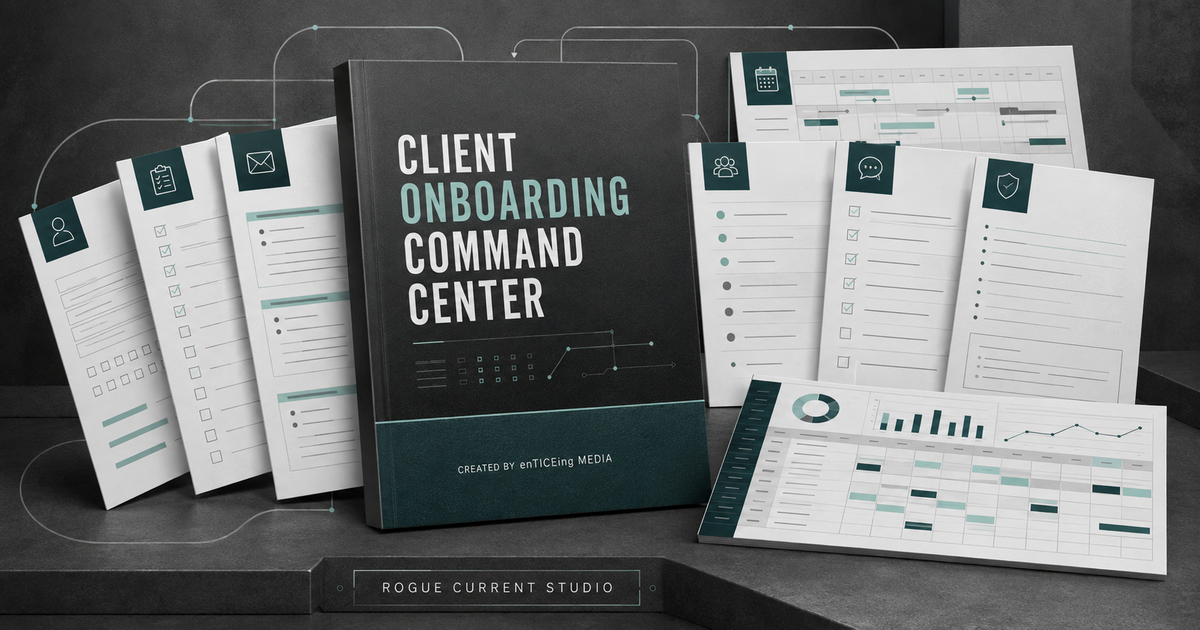
One organized digital package containing ten practical resources, plus a Quick Start Guide, file-format references, and clear license terms.
Collect the client, business, audience, project, goal, deadline, and contact details needed before work begins. Customize it to fit your services and workflow.
Welcome the client, confirm the relationship, explain next steps, share immediate action items, and direct them to the right forms, folders, or scheduling links.
Begin with clarity around goals, scope, responsibilities, milestones, communication, approvals, outstanding questions, and immediate next steps.
Collect the files, credentials, brand materials, documents, and project resources required for creative, marketing, consulting, agency, and professional-service work.
Outline phases, milestones, responsibilities, approval points, deadlines, and delivery dates so both sides understand what happens next.
Explain how feedback should be submitted, who approves it, how revisions work, and what happens when requests arrive late or outside the original scope.
Use a recommended digital folder system for agreements, assets, project files, feedback, approvals, deliverables, and administrative materials.
Slow down, ask better questions, and recognize concerns involving goals, expectations, decision-making, scope, communication, information, payments, and boundaries.
Close the engagement professionally by confirming completion, summarizing deliverables, locating final files, and clarifying support or access.
Request specific, useful feedback by guiding the client to describe their original challenge, their experience, and the value of the completed work.
One payment. One organized package. No subscription.
FROM INTAKE TO TESTIMONIAL
Add your business name, services, communication preferences, policies, links, and branding to the included resources.
Create the recommended folder structure, duplicate the necessary templates, and organize the materials for the new project.
Send the welcome email, collect intake information and assets, hold the kickoff meeting, and establish expectations before work begins.
Use the offboarding and testimonial templates to close professionally, deliver final information, and collect client feedback.
Build the system once, customize it for your business, and use it to guide each new client with greater consistency.
WHO IT IS FOR
REAL FILES. PRACTICAL FORMATS.
The verified customer package includes editable Word documents, print-ready PDFs, and an Excel command-center workbook.
ONE COMPLETE CLIENT EXPERIENCE SYSTEM
A practical collection of templates, checklists, scripts, and planning tools for creating a more organized and professional client experience.
Secure checkout powered by Stripe.
Your complete digital package will be emailed after successful payment.
BEFORE YOU BUY
Yes. The Word templates and Excel workbook are designed to be adapted to your business, services, policies, communication style, branding, and client workflow. PDF versions are included as polished references and printable copies.
After Stripe confirms payment, you will receive an email containing a secure, expiring link to download the complete Client Onboarding Command Center ZIP package.
No. The $47 price is a one-time purchase.
You will need software capable of opening DOCX, PDF, and XLSX files. Common compatible options include Microsoft Word and Excel or other applications that support those file types.
One purchaser or one internal business team may use and customize the resources for that business's own client-management process.
Yes. You may customize and use the templates within your own onboarding and project-management process. The original files may not be resold, redistributed, shared as standalone resources, white-labeled, uploaded to a membership library, offered as a lead magnet, or repackaged as another product.
Not automatically. The materials provide general educational and operational guidance. They are not legal documents or a substitute for contracts, policies, or qualified professional advice.
The templates are designed primarily for service-based businesses. Customize them to reflect your services, industry, client relationships, legal obligations, and internal processes.
Because this is a digital product delivered after purchase, refund eligibility is governed by the posted Terms of Sale and applicable law. Contact support if a file is missing, corrupted, duplicated, or inaccessible.
YOUR CLIENT EXPERIENCE IS PART OF THE WORK
Set expectations early, organize the details, protect the working relationship, and create an experience that feels professional from beginning to end.
Get the Command Center - $47 One payment. One organized system. A stronger way to welcome every client.The Client Onboarding Command Center is sold for a one-time price of $47 USD. Payment is processed by Stripe. After confirmed payment, the purchaser receives a secure, expiring link to download the complete ZIP package.
Digital purchases are generally final once delivery is provided, subject to applicable law and the posted Refund Policy. Contact enticeingmedia@gmail.com if a file is missing, corrupted, inaccessible, or materially different from its description.
One purchaser or one internal business team may use and customize the files for its own client-management process. Resale, redistribution, sublicensing, public sharing, white-labeling, repackaging, lead-magnet use, and membership-library distribution are prohibited.
This product provides general educational information, business templates, and operational resources. It is not legal, tax, accounting, human-resources, cybersecurity, privacy, insurance, financial, or regulatory advice. Review and adapt the materials for your own business, industry, client relationships, and obligations.